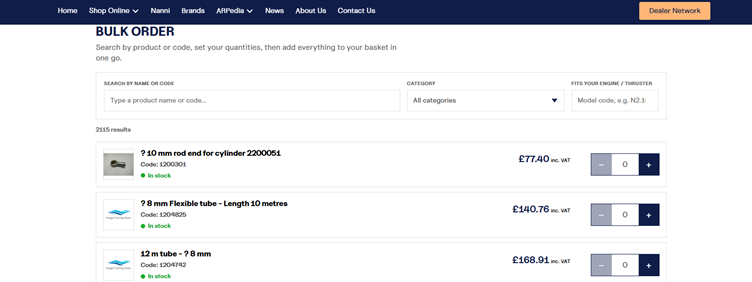
Thank you for visiting our new website.
Creating this new platform has been a long but rewarding journey. Our goal was simple: to build a modern, user-friendly website that makes it easier than ever to find the products you need, discover the latest hints, tips and technical articles through ARPedia, explore the innovative technologies we’re involved with, and ultimately help keep you underway.
We’ve introduced a range of new features that we hope will make your experience faster, more informative and more enjoyable. Take some time to explore the site—we think you’ll find plenty to like.
Of course, this is only the beginning. We’d love to hear your feedback, whether it’s something you particularly enjoy or an idea that could make the website even better. After all, this platform has been built with you in mind, giving our customers a better online experience while providing us with the tools to continue supporting you for years to come.
Thank you for being part of the journey, and welcome to the new A R Peachment website.
How To Tips
Already shopped with us?
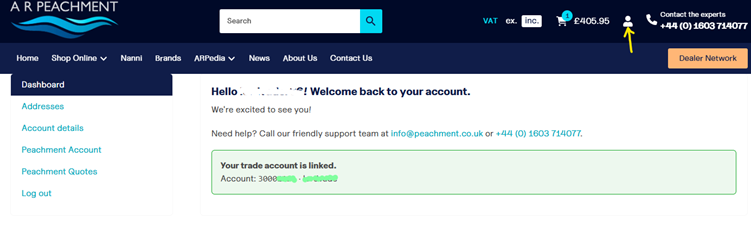
If you’ve shopped with us before, there’s a good chance you’re already on our system. Simply create your online account using the same email address you’ve previously used with us, and your account will automatically link to your existing customer record. Once merged, you’ll be able to view your previous orders and account history.
If you’re a new customer, no problem at all! Just create an online account and remember to complete your account details, including your billing and delivery addresses, to make future ordering even easier. Your account can be accessed using the person symbol in the top right (Yellow Arrow).
If you’re not sure which email address you’ve used with us before, just get in touch – we’ll be happy to help.
Quotes
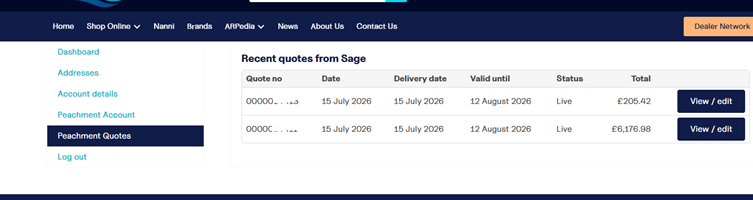
You can now request and manage quotations directly through our website. Whether you’re looking for a quotation on products or need us to price a particular job, everything will be available within your online account under the Peachment Quotes section, making it easy to view, accept and keep track of your quotations.
Finding What You Need
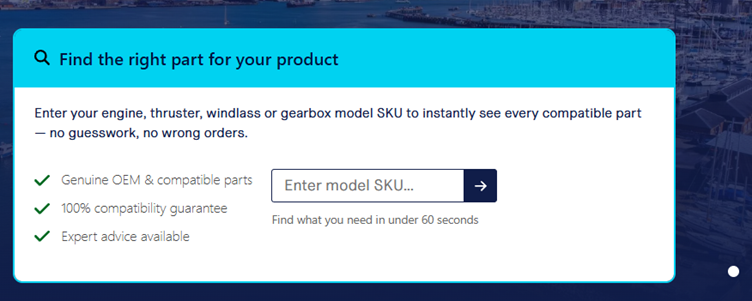
Our website has been designed to make finding products as straightforward as possible. You can search by part number if you know exactly what you’re looking for, or simply enter keywords such as “oil” to browse related products.
You can also use our Model Identification Search (shown below) to search by equipment model. For example, you can enter an engine model such as N2.10, or a windlass model like X2 or Dorado, to quickly find compatible products and information.
As with any new website, we’ll continue refining and improving our search functionality over time, so thank you for bearing with us while we make it even better.
Looking for an engine?
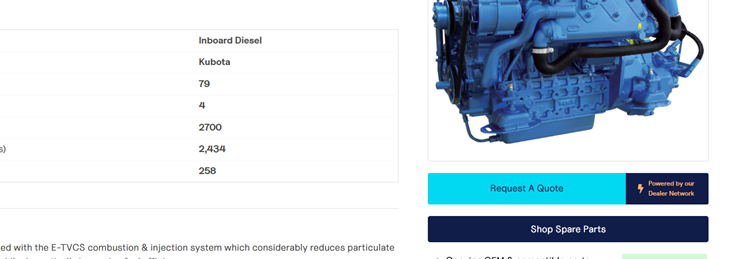
You’ll be able to look through the varying engines by the number of cylinders using the menu, or by searching for the model. Once on the engine you are interested in, you’ll be able to make an enquiry using the Request a Quote button. Remember to include any special requirements, and if you need a gearbox.
Downloads?
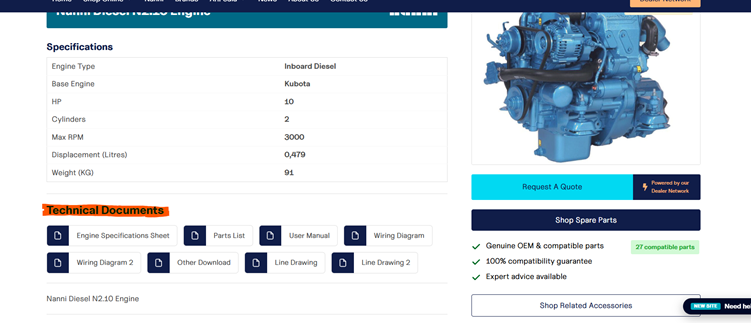
Looking for the wiring diagram? Or maybe the parts list breakdown? Go to your engine, either on the Shop Online for current models, or within ARPedia Previous Engine Models, and you can find these located as per the below image.
Bulk Buy
Know the part numbers you need? Head down to the bottom of the page and click on Bulk Buy. You can quickly and efficiently add the items you want into your basket, and checkout quickly.